You open YouTube. It buffers. You try loading a webpage. It spins. You send a message and it sits there with one tick for ten minutes.
- 1. What Is a Speed Test PTCL and Why Does It Matter
- 2. How to Run a Speed Test PTCL — Step by Step
- 3. Understanding Your Speed Test PTCL Results
- 4. What Speeds Should You Actually Expect From PTCL
- 5. Common Reasons Your Speed Test PTCL Results Are Low
- 6. When Your Speed Test PTCL Results Justify a Complaint
- 7. Practical Tips to Improve Your PTCL Speed Right Now
- Wrapping Up
Sound familiar?
If you’re a PTCL user, this is probably a feeling you know too well. And the first thing most people do when their internet acts up is run a speed test PTCL to figure out what’s actually going on.
Good instinct. But running a speed test PTCL is only useful if you know how to read the results, what numbers you should actually be getting, and what to do when those numbers don’t match what you’re paying for.
That’s exactly what this article is about.
1. What Is a Speed Test PTCL and Why Does It Matter
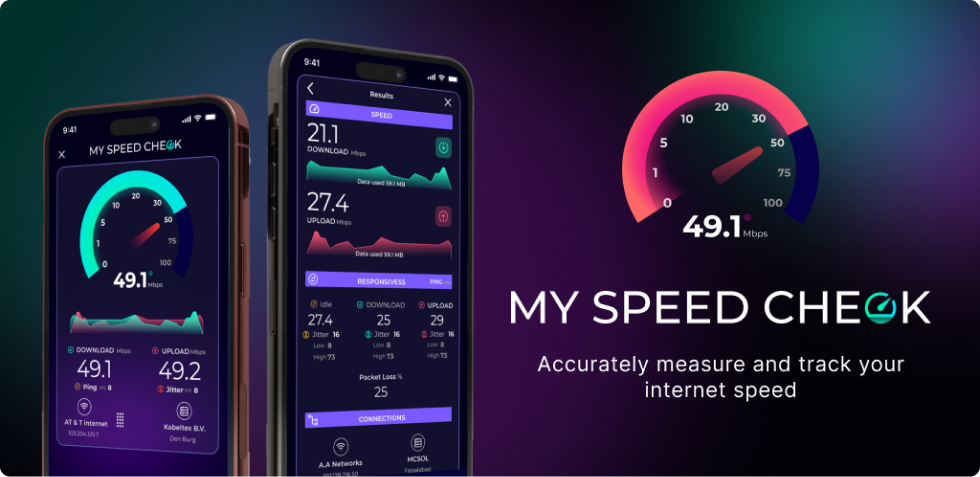
A speed test PTCL is a simple online tool that measures three things — your download speed, your upload speed, and your ping. No complicated setup. No technical knowledge required.
A speed test PTCL is a simple to use online tool that tests 3 things – your download speed, your upload speed and your ping. Simple setup. No technical expertise needed.
Download speed is how quickly information reaches your device from the internet. Upload speed is the speed your device is sending data out. Ping is the response time, basically how long it takes a signal to get from your device to a server and back.
When you run a speed test PTCL, the tool connects to the nearest available server, sends and receives chunks of data and measures how fast all of that happens. The whole process takes about 30 to 60 seconds.
The reason you should run a speed test PTCL regularly is straightforward — it tells you whether you’re actually getting the internet speed you’re paying for. PTCL sells packages with advertised speeds. A speed test PTCL lets you verify those numbers in real time.
2. How to Run a Speed Test PTCL — Step by Step
Running a speed test PTCL is one of the easiest things you can do online. Here’s exactly how to do it.
Go to speedtest.ptcl.net — that’s PTCL’s own official speed testing page. You can also use Speedtest.net by Ookla, which works perfectly well for PTCL connections and gives very accurate results.
Before you click anything, close all the apps and browser tabs that might be using your internet in the background. Streaming services, app updates, cloud sync — all of these consume bandwidth and will push your speed test PTCL results lower than your actual connection speed.
Disconnect other devices from your WiFi temporarily if you can. Every phone, laptop, and smart TV on your network shares the same bandwidth and will affect your reading.
If possible, plug your laptop or computer directly into the router using an Ethernet cable. WiFi introduces its own variables. A wired connection gives you the most accurate speed test PTCL result possible.
Now click the Start or Go button. Let the test run completely without touching anything. In about a minute, you’ll have your numbers.
Run the speed test PTCL two or three times. One reading can be a fluke — especially if a background app kicked in briefly. An average across three tests gives you a much more reliable picture.
3. Understanding Your Speed Test PTCL Results
You’ve run the test. Now a bunch of numbers are on your screen. Here’s what they actually mean.
Download speed — This is the most important number for most people. It determines how fast you can stream videos, browse websites, or download files. If you’re on a PTCL 8 Mbps package, your speed test PTCL download result should ideally be somewhere close to that. In practice, getting 70 to 85 percent of the advertised speed is considered normal and acceptable.
Upload speed — This matters more than people give it credit for. Video calls, sending large files, uploading content — all of these rely on upload speed. PTCL upload speeds are generally lower than download speeds, which is completely normal. What’s not normal is your upload speed being a tiny fraction of what it should be.
Ping — Measured in milliseconds. The lower the number, the better. For browsing and streaming, anything under 50ms is excellent. Under 100ms is fine. Above 150ms and you’ll start noticing lag during video calls or online gaming.
Jitter — Some speed test PTCL tools show this too. Jitter is how much your ping fluctuates from one moment to the next. High jitter causes choppy audio on calls and stuttering during video streams. Anything above 30ms of jitter consistently is worth looking into.
4. What Speeds Should You Actually Expect From PTCL
This is where a lot of people get confused. PTCL advertises speeds “up to” a certain number. That phrase does a lot of heavy lifting.
The actual speed you get depends on several things — the package you subscribed to, the type of connection you have (DSL or fiber), how far you are from the nearest exchange, the quality of the telephone line wiring, and how many people in your area are online at the same time.
DSL connections are older technology and are more affected by distance. If your home is far from the nearest exchange, your speed test PTCL results will likely be lower than what’s advertised. This isn’t a trick — it’s simply a technical limitation of how DSL infrastructure works.
PTCL fiber connections perform significantly better and are much less affected by distance. If you’re on fiber and your speed test PTCL results are still consistently poor, that’s a stronger reason to reach out to support.
As a general rule — if your speed test PTCL download results are consistently below 50 percent of your subscribed speed, and this continues over several days, you have a legitimate complaint worth making.
5. Common Reasons Your Speed Test PTCL Results Are Low
Low speed test PTCL results can come from a few different places. Some are on PTCL’s end. Some are in your own home setup. Knowing the difference saves you from unnecessary complaints — or from staying quiet when you actually should speak up.
Too many devices connected at once — Every device sharing your WiFi competes for bandwidth. Multiple phones, laptops, tablets, and smart TVs all pulling data at the same time will reduce what each device gets individually. Disconnect what you’re not using and run the speed test PTCL again to see if there’s a difference.
WiFi signal quality — The further you sit from your PTCL router, the weaker the signal and the slower your effective connection. Walls, floors, and interference from other electronics all reduce WiFi quality. Move closer to the router and retest before assuming the problem is with PTCL.
Old or damaged telephone line wiring — This is one of the most common hidden causes of poor DSL performance and it’s something most people never check. Degraded copper wiring between the street and your home can drag down your speed test PTCL results significantly without any obvious visible sign.
Network congestion during peak hours — In the evenings, a large number of users are online simultaneously. This puts pressure on the shared network infrastructure and your speed test PTCL numbers will naturally dip during these hours. If your internet is consistently slow only in the evenings but fine in the morning, congestion is likely the cause.
Submarine cable faults — This one catches people off guard. PTCL’s international internet traffic travels through undersea cables. When those cables develop faults — which has happened at various points due to damage near submarine cable routes — the effects are felt across all PTCL users. Your speed test PTCL numbers will drop and the only fix is waiting for the cable repair to complete, which can take days or weeks depending on the damage.

6. When Your Speed Test PTCL Results Justify a Complaint
Many people put up with slow internet without ever complaining. Either they assume the slowness is normal, or they don’t know when they actually have grounds to push back.
Here’s a simple rule to follow. If your speed test PTCL results are consistently — not just once on a bad day, but consistently over multiple days — showing less than half your subscribed speed, that’s a legitimate complaint.
When you contact PTCL support, have your speed test PTCL results ready before the call. Tell them the numbers you’re seeing, when the issue started, and how often you’ve run the test. Specific data is far more useful than a general complaint.
If a technician is sent and the problem turns out to be with external infrastructure or exchange equipment, that’s PTCL’s responsibility to fix at no charge. If the fault is inside your home — your router, your internal cables — it may fall on you to sort out, though the technician can at least help you identify it.
Keep a short log of your speed test PTCL results over several days before calling. Dates, times, and the numbers you recorded make your case much stronger than just saying “it feels slow.”
7. Practical Tips to Improve Your PTCL Speed Right Now
Running a speed test PTCL and seeing disappointing numbers is frustrating. Here are some things you can actually try before making a call.
Restart your router. Yes, the obvious one — but it genuinely works more often than people expect. Turn it off completely, wait 30 seconds, turn it back on, and give it two full minutes to reconnect. Then run the speed test PTCL again.
Switch your WiFi band. If your PTCL router supports both 2.4GHz and 5GHz WiFi, try connecting your device to the 5GHz band. It’s faster and less congested, though it doesn’t travel as far through walls. If you’re sitting near the router, 5GHz will almost certainly give you better speed test PTCL results.
Change your WiFi channel. Multiple routers in the same building often end up on the same channel, interfering with each other. Log into your router admin panel and switch to a different channel — on 2.4GHz, channels 1, 6, and 11 are the standard options that avoid overlap.
Check for missing microfilters. DSL connections require a microfilter on every telephone device connected to the same line as your router. A missing or faulty filter causes signal interference that directly impacts your speed test PTCL results.
Use a wired connection for important tasks. If you need to do a video call, download a large file, or do something time-sensitive, plug directly into the router with a cable. WiFi will always have some overhead that reduces speed. A direct cable removes that variable entirely.
Wrapping Up
A speed test PTCL is the quickest way to cut through guesswork and get actual data about your connection. It takes under a minute, it’s completely free, and it tells you something real — whether the problem is on PTCL’s end, in your home setup, or somewhere in between.
Run it regularly. Learn what your normal numbers look like. And when those numbers drop and stay down, you’ll know exactly what to do about it.
You’re paying for a service. A speed test PTCL is how you hold that service accountable.