So you logged into your router’s admin panel, scrolled through your connected devices, and there it was — “Ampak Technology” sitting in your device list like it doesn’t belong there. Naturally, the first thought is: who is this, and why is ampak technology on my wifi without me adding it?
- A Quick Reality Check Before You Panic
- First, Who Is Ampak Technology?
- Why Your Router Shows the Chip Maker’s Name Instead of the Device
- So What Kind of Devices Actually Use Ampak Chips?
- Common Scenarios That Trigger This Question
- Is It a Security Risk?
- How to Actually Identify the Device
- What If You Genuinely Can’t Identify It?
- The Bottom Line
I had the exact same reaction the first time I saw it, and after digging into it, the answer turned out to be a lot less dramatic than I expected. It’s one of those things that looks alarming for about thirty seconds and then turns out to have a pretty boring explanation once you understand how home networks actually label devices. Let me walk you through what’s really happening.
A Quick Reality Check Before You Panic
Before going any further, it helps to know this is an extremely common question. Type it into any search engine and you’ll find thousands of people who’ve had the exact same moment of confusion staring at their router’s device list. You’re not the only one, and in the overwhelming majority of cases, the explanation has nothing to do with hacking or unauthorized access. It’s almost always just a labeling quirk tied to how networking hardware identifies itself.
First, Who Is Ampak Technology?
Ampak Technology Inc. is a real company, not some shady third party trying to sneak onto your network. It’s based in Hsinchu, Taiwan, and it’s been around since 2000, building wireless communication modules — the small internal chips that let devices connect to WiFi, Bluetooth, and sometimes GPS. They don’t sell phones, cameras, or smart speakers directly to consumers. Instead, they sell these tiny modules to other manufacturers, who then build them into their own products.
That’s the key piece of the puzzle. When you ask why is ampak technology on my wifi, you’re really asking why a chip manufacturer’s name is showing up where you’d expect to see “iPhone” or “Samsung TV” instead.
Why Your Router Shows the Chip Maker’s Name Instead of the Device
Here’s the part that trips most people up. Your router doesn’t always know your device by its product name. Instead, it identifies devices using something called a MAC address — a unique hardware identifier baked into every network chip at the factory.
Each MAC address starts with a prefix that’s registered to the company that manufactured the chip. So when your router sees an unfamiliar device connect, it checks that prefix against a global database of registered manufacturers. If the device itself doesn’t broadcast a friendly name (like “Mom’s iPad”), the router falls back to showing you the manufacturer of the wireless chip instead — and for a lot of devices, that chip happens to be made by Ampak.
This is exactly why is ampak technology on my wifi shows up as a search so often. It’s not really about Ampak doing anything unusual. It’s about how networking labels work in general, and Ampak just happens to be one of the more common chip suppliers out there.
To put it another way: if your router could only ever show device names that manufacturers explicitly programmed in, you’d see fewer mystery entries. But plenty of smaller IoT devices — cheap smart plugs, budget cameras, off-brand sensors — never bother setting a custom hostname. They just broadcast their raw MAC address, and your router does the best it can with that information, falling back to the chip supplier’s name as the label.
So What Kind of Devices Actually Use Ampak Chips?
This is probably the most useful question to ask, because once you know the category, you can usually figure out exactly which gadget is connecting. People who ask why is ampak technology on my wifi are often surprised by just how many everyday products run on these modules. Ampak modules show up in a surprisingly wide range of products:
- Security cameras (brands like SimpliSafe and Blink have used Ampak chipsets)
- Smart home gadgets — thermostats, leak detectors, smart locks
- Wearables and fitness trackers
- Tablets and e-readers, including some smart writing tablets
- Streaming boxes and smart TVs
- IoT sensors and connected appliances
- Point-of-sale terminals in retail settings
- Some 3D printers and smart displays
If you’re trying to track down exactly why is ampak technology on my wifi in your specific case, think back to what you’ve recently added to your home network. Did you set up a new security camera? Plug in a smart plug? Connect a fitness watch for the first time? There’s a decent chance that’s your answer right there — and once you’ve checked, why is ampak technology on my wifi stops being a mystery and just becomes routine network housekeeping.
Common Scenarios That Trigger This Question
A few situations come up again and again whenever this question appears, and recognizing your own situation in this list can save you a lot of guesswork.
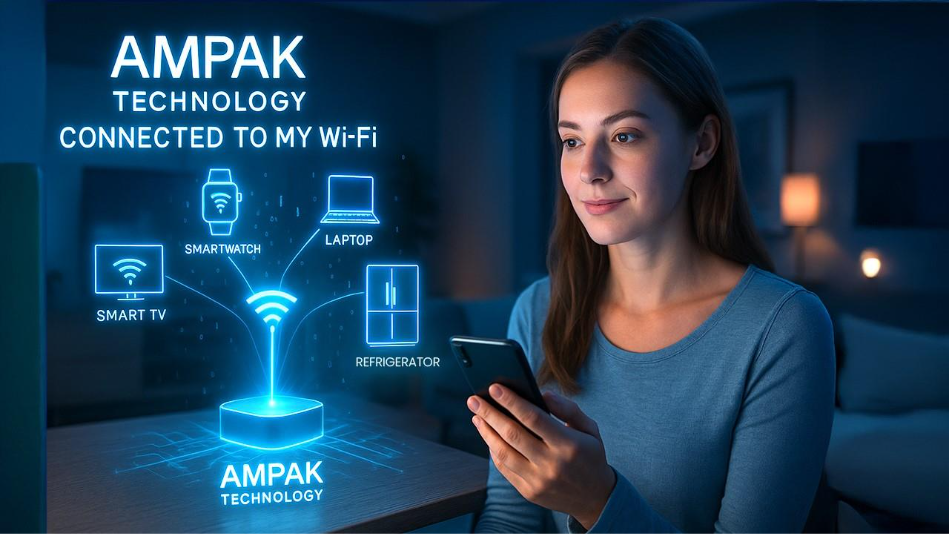
You just set up a new smart home device. This is by far the most common trigger. Smart plugs, video doorbells, leak detectors, and security cameras are some of the biggest users of Ampak modules, and the moment you finish pairing one through its companion app, it shows up on your network under the chip manufacturer’s name rather than the product name.
A device reconnected after a router reset. If you’ve recently reset your router, updated its firmware, or changed your WiFi password, every device has to reconnect from scratch. This fresh handshake is often exactly when people first notice why is ampak technology on my wifi, even though the device itself has been part of your household for months.
You’re using a guest device or a hand-me-down gadget. Tablets, e-readers, or old smart speakers passed down from a family member often carry whatever wireless module the original manufacturer chose, and you may simply never have had a reason to check before now.
Your router’s client list is showing a phantom or repeating entry. Some IoT devices ping the network periodically without staying fully connected, which can make a device label flicker in and out of your client list. This is usually harmless and just reflects how the device manages its own power-saving connection cycle.
Is It a Security Risk?
This is usually the real concern hiding underneath the question. People don’t just want to know what Ampak is — they want to know if it’s safe, which is really what why is ampak technology on my wifi is getting underneath the surface.
Generally speaking, no, it’s not something to panic about. Ampak modules typically support standard encryption protocols like WPA2 and WPA3, the same security standards used across most modern WiFi devices. The module itself isn’t doing anything sneaky — it’s just facilitating the connection between your device and your router, the same way a WiFi chip from any other manufacturer would.
That said, “not dangerous” doesn’t mean “ignore it completely.” The real risk isn’t Ampak itself — it’s not knowing what’s connected to your network in general. Any unidentified device, regardless of brand, deserves a quick check. So if you’re asking why is ampak technology on my wifi and you genuinely can’t place which device it belongs to, it’s worth taking a few minutes to investigate rather than just shrugging it off.
It’s also worth noting that the question why is ampak technology on my wifi tends to spike whenever someone notices it for the first time after months of it sitting there unnoticed. Routers don’t usually alert you to new connections unless you’ve specifically enabled that feature, so a device can be present for a long time before you ever happen to scroll through the client list and spot the name.
How to Actually Identify the Device
If you want to stop wondering why is ampak technology on my wifi and actually find the culprit, here’s a practical approach:
- Log into your router’s admin panel and pull up the full list of connected devices, along with their MAC addresses.
- Cross-reference the MAC address against the companion apps for your smart devices — many show their MAC address somewhere in settings.
- Use a network scanning tool like Fing or Advanced IP Scanner, which can give you more detail than your router’s basic interface.
- Think chronologically — what did you set up most recently? New connections are the most common reason this name suddenly appears.
- Rename the device once you’ve identified it, so your router stops showing the generic manufacturer name and starts showing something you’ll actually recognize next time.
Once you’ve gone through this process, the mystery usually resolves itself fairly quickly, and you won’t have to ask why is ampak technology on my wifi again the next time you glance at your device list.
What If You Genuinely Can’t Identify It?
Occasionally, someone goes through all of the steps above and still can’t pin down the device. If that happens to you, a few extra precautions are reasonable:
Change your WiFi password to something strong and unique, then reconnect your known devices one at a time. This often makes unidentified entries disappear on their own, since anything that doesn’t reconnect clearly wasn’t supposed to be there. It’s also worth setting up a separate guest or IoT network for smart devices, so even if something unexpected does connect, it’s isolated from your main devices, computers, and personal files.
Enabling WPA3 if your router supports it adds another layer of protection, and regularly auditing your connected device list — maybe once a month — makes it much easier to spot something genuinely out of place before it becomes a bigger problem.
The Bottom Line
If you’ve been searching why is ampak technology on my wifi and feeling a little uneasy about it, the short version is this: Ampak is a legitimate wireless chip manufacturer, and seeing their name on your network almost always means one of your own smart devices is using one of their modules to connect. It’s a labeling quirk more than anything else, caused by how MAC address lookups work, not a sign that someone unauthorized has gotten onto your network.
Still, it’s never a bad habit to actually confirm which device it is rather than just assuming. A few minutes spent identifying it — and renaming it in your router settings — saves you from having to ask the same question again the next time you glance at your connected devices list. Once you know your network and recognize what belongs there, names like “Ampak Technology” stop being mysterious and just become one more entry you’ve already got figured out. And the next time a friend or family member asks you why is ampak technology on my wifi, you’ll actually have a real answer ready instead of just shrugging and assuming the worst.