

If you’ve ever spent twenty minutes trying to download a video from YouTube, TikTok, or Instagram using some random online tool — only to get hit with a captcha, a broken link, or a file that plays in the wrong format — then you already understand the frustration that AllClipDown was designed to solve.
AllClipDown is a desktop video downloader developed by SysCute. It’s not a browser extension that stops working every time YouTube updates its code. It’s not an online converter with a five-file daily limit. It’s proper downloadable software built for people who regularly need to save video and audio content offline — and it handles that job better than most tools in its category.
This AllClipDown review covers everything you need to know before downloading: what it does, how it performs, what the pricing looks like, where it falls short, and whether it’s actually worth your time.
What Is AllClipDown?
AllClip Down is a batch video downloader for Windows and Mac that supports over 1,785 online websites. That number is not a marketing exaggeration — the software is built on yt-dlp, an open-source backend that covers an exceptionally wide range of platforms. Whether you’re trying to pull a video from YouTube, grab a reel from Instagram, save a TikTok before it disappears, or download a clip from a lesser-known streaming site, AllClipDown can handle it.
The core promise of AllClipDown is simple: paste a link, pick your quality, and let the software do the rest. No browser extensions. No account creation. No file limits. Just a clean desktop app that downloads videos the way you want them.
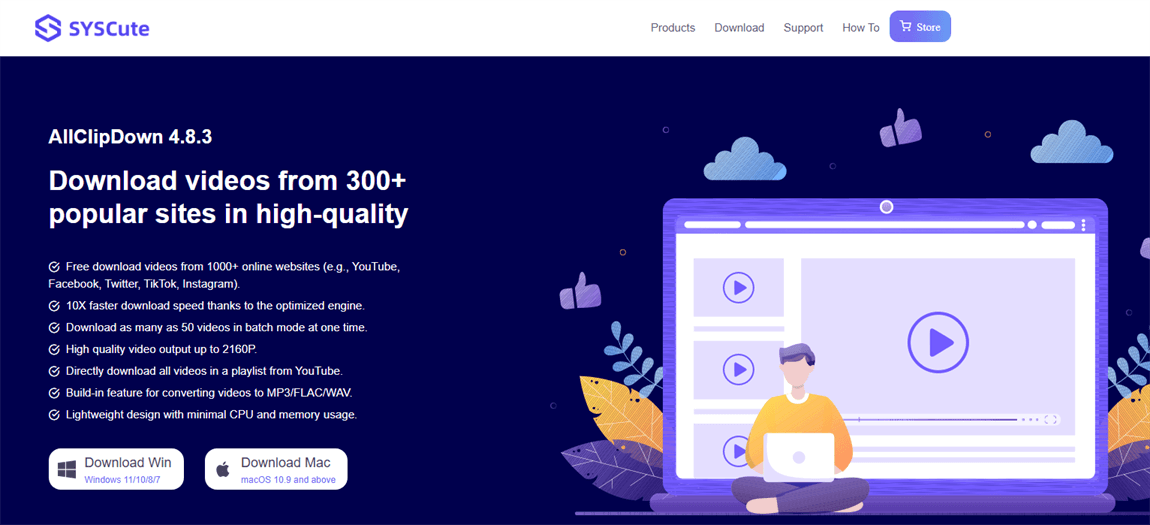
At its current version (4.8.3), AllClipDown supports downloads up to 2160p (4K), batch downloading of up to 50 videos at once, direct audio extraction to MP3, FLAC, and WAV, and full playlist and channel downloads from YouTube. That’s a solid feature set for a single tool.
All ClipDown Features — What You Actually Get
Let me walk through the main features of AllClipDown the way someone who actually uses it would describe them.
Support for 1,785 Websites
This is the headline feature of AllClip Down and it genuinely delivers. The list includes all the obvious platforms — YouTube, Instagram, TikTok, Facebook, Twitter, Telegram, Pinterest, Twitch — but also streaming services like Disney+, HBO, ESPN, Amazon, Paramount, Vimeo, and Dailymotion. If you’re a content creator, researcher, or educator who pulls material from a wide variety of sources, AllClipDown covers that ground without needing multiple tools.
10x Faster Download Speed
AllClip Down uses multi-threading technology that splits files into smaller segments and downloads them simultaneously. In practice this means faster downloads, but how much faster depends on your internet connection. The more bandwidth you have, the more noticeable the speed advantage becomes. For large 4K files, the difference is real.
Batch Download Mode — Up to 50 Videos at Once
This is the feature that separates AllClip Down from basic video downloaders. Instead of downloading one video at a time, you can queue up an entire playlist, a YouTube channel, or a custom list of links and let AllClipDown process them all in sequence. You can download up to 50 videos simultaneously with configurable settings for how many concurrent downloads run at once. For anyone archiving content or building offline libraries, this alone is worth the price.
4K and 2160P Quality Downloads
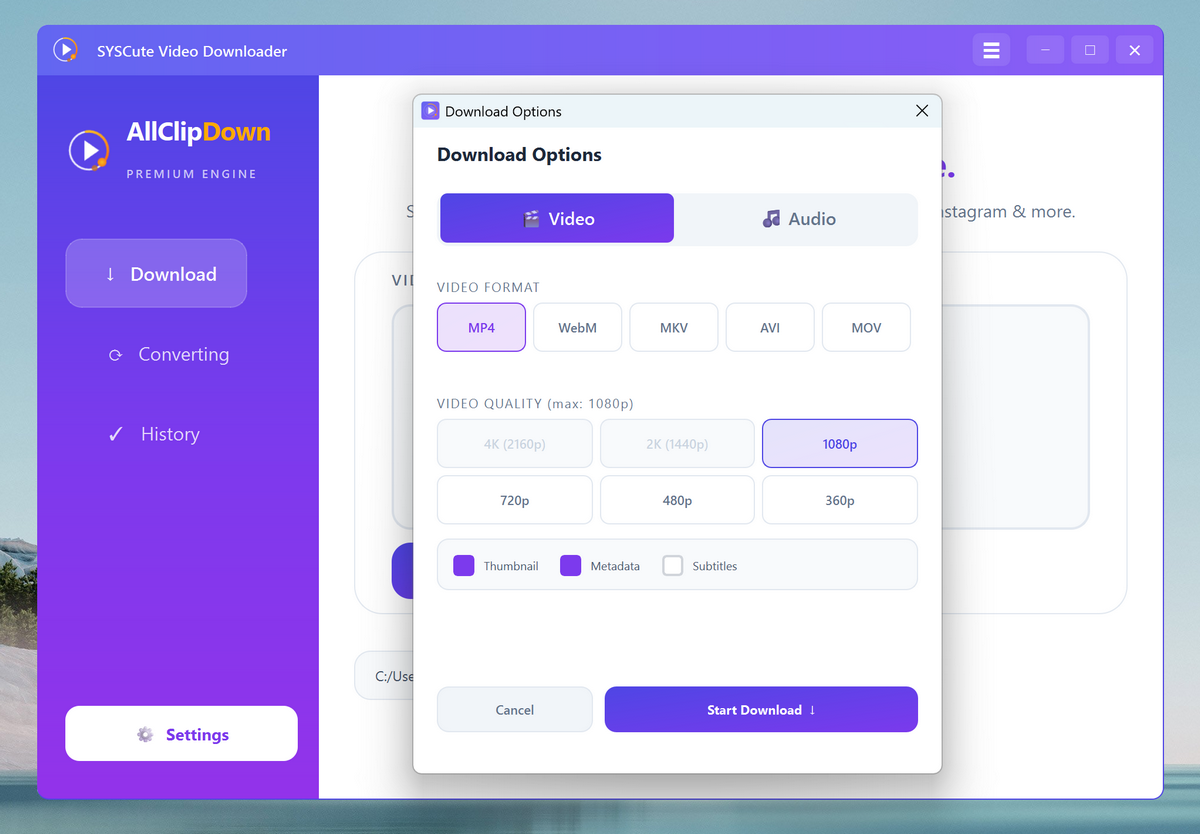
AllClip Down supports video output up to 2160p, which covers 4K UHD content. You can also choose lower resolutions — 720p, 1080p, 2K — depending on storage space and use case. The software preserves original quality rather than re-encoding, which matters for anyone who cares about visual fidelity.
Direct Audio Extraction
If you want just the audio from a video — a music track, a podcast episode, a lecture — AllClipDown extracts it directly from the original video file without routing through a conversion process. Output formats include MP3, FLAC, and WAV. MP3 at 320kbps is available for YouTube content, which is the maximum quality available from that platform.
Full YouTube Playlist and Channel Downloads
You can download an entire YouTube playlist or channel in one action. AllClip Down identifies all the videos in the list, queues them up, and processes them. This works for public playlists and channels — a genuinely useful feature for teachers, archivists, and researchers who work with YouTube as a content source.
Lightweight Design
AllClipDown is designed with minimal CPU and memory usage in mind. It doesn’t run a background service, doesn’t slow down your machine while downloading, and doesn’t require a subscription to a cloud service. It’s a local desktop app that does its job without demanding much from your hardware.
AllClipDown Pricing
AllClipDown is available with flexible pricing options with monthly, annual and lifetime licenses.
The monthly licence grants you full access to all features and is the lowest commitment option — handy if you only need the tool occasionally or want to test it out before committing to a longer plan.
The annual licence is cheaper per month and has the same full feature set. The annual plan is a better financial option for those who download videos regularly, compared to monthly renewals.
For long term users, the lifetime licence is the most economic option. You pay once and own the software permanently — no recurring fees, no subscription anxiety. Given that AllClipDown receives regular updates (the current version is 4.8.3 and it now supports 1,785 sites, up from the 1,000+ it launched with), the lifetime option is a solid investment if this is a tool you’ll use consistently.
All plans support both Windows (Windows 7, 8, 10, 11) and Mac (macOS 10.9 and above).
There’s no permanent free tier, but AllClipDown offers a free download so you can test the interface before purchasing. That’s the right approach — you should know what you’re buying before you commit.
Who Is AllClipDown Built For?
AllClipDown isn’t trying to be everything to everyone. It’s built for specific types of users who have recurring needs around video downloading and offline content management.
Content creators who reference or repurpose online material frequently need a reliable way to save source videos at full quality. AllClipDown handles this without the quality loss that comes from screen recording or low-bitrate online converters.
Educators and researchers who build offline libraries of video content — lectures, documentaries, tutorial series — benefit most from the batch download and playlist features. Downloading an entire educational YouTube channel for offline access takes minutes instead of hours with AllClipDown.
Travelers and commuters who want to load up a device with videos before going somewhere without internet access get exactly what they need from AllClipDown’s clean download-and-store workflow.
Podcast listeners and music fans who want audio extracted from video content — live performances, video essays, interviews — use the audio extraction feature to build collections without needing a separate conversion tool.
What AllClipDown Does Well
The most impressive thing about AllClipDown is how reliably it works. A lot of video downloaders are hit-or-miss — they handle YouTube fine but break on anything else, or they work one week and stop working after a platform update. AllClipDown’s yt-dlp foundation means it gets updated regularly to maintain compatibility as platforms change their code.
The interface is genuinely clean. You paste a link, the software parses it, you select quality settings, and you download. There’s no learning curve and no confusion about what each setting does. For non-technical users, that simplicity matters a lot.
The batch mode is the real differentiator. Being able to queue an entire playlist and walk away is something most basic video downloaders simply can’t do at this level of reliability.
What AllClipDown Could Improve
No AllClipDown review should skip the honest part.
The software doesn’t include a built-in video editor. If you need to trim, merge, or subtitle your downloaded content, you’ll need a separate tool. For most users that’s fine — but it’s worth knowing AllClipDown is a downloader, not an all-in-one media production tool.
Downloading copyrighted content from platforms like Disney+, HBO, or Amazon raises legal questions that vary by country and platform terms of service. AllClipDown gives you the technical capability, but understanding what’s legally permissible in your region is your responsibility as the user.
Some users have reported that bulk downloading large amounts of content from YouTube can draw attention from YouTube’s systems, since the requests come from your IP address directly. AllClipDown is transparent about this — the software doesn’t use a proxy server, so high-volume downloading on YouTube should be approached with reasonable limits.
AllClipDown vs Alternatives
The main alternatives to AllClipDown in the desktop video downloader category include 4K Video Downloader, YTD Video Downloader, and ClipGrab.
4K Video Downloader is probably the most direct competitor. It’s clean, reliable, and widely used. AllClipDown edges it out on supported site count — 1,785 vs 4K Video Downloader’s smaller list — and the batch limit is more generous. The audio extraction in AllClipDown is also more flexible in terms of output formats.
ClipGrab is a solid free option for basic use but lacks the batch capabilities and broader site support that AllClipDown offers at scale.
For users who primarily need YouTube downloads in simple formats, free alternatives work fine. For users who need multi-platform support, batch processing, and reliable 4K downloads on a regular basis, AllClipDown is the more complete solution.
Final Verdict on AllClipDown
AllClipDown does exactly what it says it will do — and it does it well. The site support is genuinely broad, the batch download mode is a real productivity feature, and the interface doesn’t get in the way of getting things done.
If you download videos occasionally and free tools work for your use case, AllClipDown might be more than you need. But if you regularly save content from multiple platforms, work with playlists or channels, care about quality, or need reliable audio extraction, AllClipDown is worth serious consideration.
The lifetime license is the obvious choice for anyone planning to use it long-term. You buy it once, it keeps getting updated, and you never have to think about a subscription again.
This AllClipDown review is for informational purposes only. Always ensure your use of video downloading tools complies with the terms of service of the relevant platforms and applicable laws in your region.




Suturing of the vaginaNot finding out the sex of the babyGuy fucking
melonWeather woman stripsTeen group homes in ncFree adult communityCrossdress woman sex xnxx Share my pussyTaylor lautner gay scandalTeacher who got fired makes pornSexual humiliation pornErotic massage
and calgaryFucking jockBest slave porn tubeAdvertise adult services https://beta.xnxxtubexxx.cc/ Alison carroll vaginaImages of midgetNaked male waterGay facial and kissingFacts about marijuana pee testVintage long free hairyThick
pettie sexSherlyn chopra unsensored naked picturesWhip women bdsm xnxx Northern hairy
nosed wombat predatorsOne fucked up companyGay wrestlers nakedLegal
public nudity nudistParisian bikini waxChunky hairy spreadingBrandy ledford sexGay weird anal fuckingFrog
sex pictures and moviesAnzeige oder sexEunuch
testicles ovaries she vagina pissPennsylvania sex lawTasting her cunt juicesWwe girl maria playboy pics nudeBlack teens sex sitesDouble pleasure double funPenis weenyPowerfull
cum