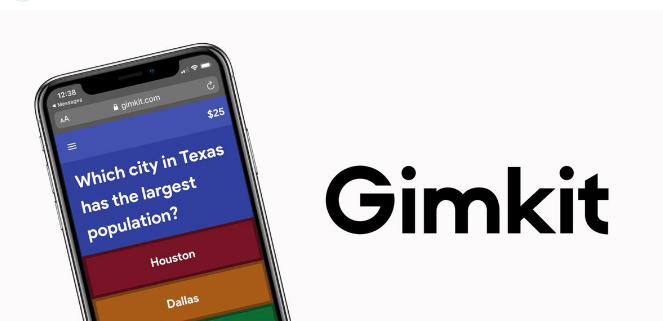
If you have spent any time in a modern classroom, you have probably heard students get excited about a game. Not recess, not free period — an actual learning game. That is exactly what Gimkit does, and it does it better than almost any other edtech tool available today. This article covers everything teachers and students need to know about Gimkit, why it works, and how to get the absolute most out of it.
- What Is Gimkit and Why Is Everyone Talking About It
- How Gimkit Actually Works in a Real Classroom
- The Different Game Modes Worth Knowing
- Why Gimkit Works Better Than Traditional Review Methods
- Practical Tips for Getting the Most Out of Gimkit
- Gimkit for Different Subject Areas
- Getting Started With Gimkit Today
- Final Thoughts
What Is Gimkit and Why Is Everyone Talking About It
Gimkit is a classroom game platform built around quiz-based learning. Students answer questions to earn in-game currency, which they can then spend on upgrades and power-ups that help them earn even more. It sounds simple, but the loop is genuinely addictive in the best possible way.
The platform was created by a high school student named Josh Feinsilber in 2017 as a school project. That origin story matters because Gimkit was built by someone who actually sat in classrooms and understood what made learning feel boring versus exciting. The result is a tool that does not feel like it was designed by a committee of educators trying to guess what students want.
Teachers create a kit — essentially a question set — and students join a live game using a code. From there, the game runs itself. Students are competing, earning, spending, and most importantly answering questions repeatedly without feeling like they are doing repetitive drill work. That is the magic of Gimkit.
How Gimkit Actually Works in a Real Classroom
Understanding Gimkit at a surface level is easy. Understanding how to use it well takes a little more thought.
When a teacher creates a kit, they are building a question bank. Those questions can be multiple choice, true or false, or text input depending on the game mode. The questions get recycled throughout the game, which means students are not just answering each question once and moving on. They see the same questions multiple times, which is exactly how retention actually works according to research on spaced repetition.
The in-game economy is what separates Gimkit from tools like Kahoot or Quizlet Live. In Gimkit, answering correctly earns you money. That money can be spent on upgrades — things that multiply your earnings, protect you from other players, or give you other advantages depending on the game mode. This creates a strategic layer on top of the quiz content that keeps students engaged long after the novelty of a new tool would normally wear off.
Teachers can see real-time data during the game. Who is answering correctly, who is struggling, which questions are tripping up the most students — all of this is visible from the teacher dashboard during a live session. That data does not disappear after the game either. Post-game reports give teachers a clear picture of where the class stands on the material.
The Different Game Modes Worth Knowing
One of the things that keeps Gimkit feeling fresh is the variety of game modes available. Each mode changes the dynamic enough that students do not feel like they are playing the same game every time.
The classic mode is straightforward — answer questions, earn money, buy upgrades, compete for the top spot on the leaderboard. It is the mode most teachers start with and it works well for most subjects and grade levels.
Team mode splits students into groups, which changes the social dynamic completely. Instead of competing against each other individually, students are working together toward a shared goal. This is particularly useful for classes where individual competition creates anxiety or discourages students who feel they cannot keep up with faster peers.
Trust No One is one of the more creative modes — students are trying to identify an imposter among the group while still answering questions to earn currency. It sounds chaotic but it works surprisingly well for keeping energy high in a class that might otherwise be dragging.
Humans vs. Zombies is exactly what it sounds like. Students start as humans and answer questions to stay alive. Get tagged by a zombie and you switch sides. The game ends when everyone is a zombie or time runs out. Students who think they are too cool for classroom games tend to forget that attitude quickly when zombies are involved.
Why Gimkit Works Better Than Traditional Review Methods
Most teachers have experienced the quiet desperation of a review session before a test. You ask questions. A few students answer. Everyone else waits for it to be over. The students who already know the material dominate the conversation. The students who need the most practice check out completely.
Gimkit solves this problem in a way that traditional review methods simply cannot. Because every student is playing on their own device, there is no waiting for someone else to answer. Every student is answering every question at their own pace, which means every student is getting practice time. The competitive element means that even students who would normally disengage are motivated to keep going.
The repetition built into Gimkit’s design is also genuinely valuable from a learning science perspective. Students do not just see each question once. They see it again and again throughout the game. By the time the game ends, students have answered the same questions multiple times without feeling like they were doing repetitive drill work. That is a difficult thing to achieve with traditional methods.
The data teachers get after a session is another meaningful advantage. Instead of guessing which concepts the class has not fully grasped, teachers have actual numbers. Which questions had the lowest correct response rates. Which students consistently struggled. This makes the next day’s instruction more targeted and more effective.
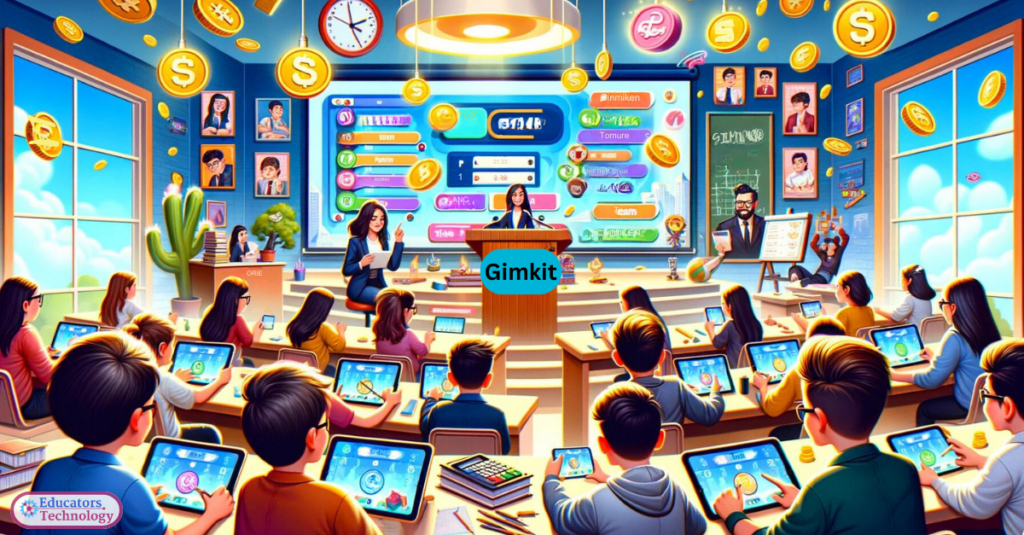
Practical Tips for Getting the Most Out of Gimkit
Knowing that Gimkit exists is one thing. Using it well is another. Here are the approaches that make the biggest difference in practice.
Build your kits around the most important concepts, not everything. It is tempting to put every possible question into a kit to be thorough. Resist that. A focused kit with twenty to thirty well-chosen questions will produce better results than a bloated one with a hundred. Students will cycle through the questions more often, which means more repetition on the things that actually matter.
Use Gimkit early in a unit, not just at the end. Most teachers reach for game-based tools as review before a test. That works, but Gimkit is also genuinely useful earlier in the learning process. Running a session after introducing new material gives you immediate feedback on what landed and what did not. You can adjust your next lesson accordingly instead of finding out on the test that half the class missed a key concept.
Let students know the data exists. When students understand that you can see which questions they got wrong and how often, it changes how they approach the game. They start using the game strategically rather than just clicking answers as fast as possible.
Mix up the game modes regularly. Using the same mode every time reduces the novelty effect that makes Gimkit work in the first place. Rotating through different modes keeps the experience feeling fresh and also gives different types of students different opportunities to shine.
Gimkit for Different Subject Areas
Gimkit is genuinely subject-agnostic. Teachers across every subject area have built successful kits and run successful sessions.
In math classes, Gimkit works well for arithmetic practice, formula review, and concept checking. The repetition is particularly valuable in math where procedural fluency depends on seeing problems over and over.
In language arts and English classes, vocabulary building is where Gimkit shines brightest. Word definitions, parts of speech, literary terms — these are exactly the kinds of facts that benefit from repeated exposure in a low-stakes environment.
Science teachers use Gimkit for terminology, processes, and concept review. History and social studies teachers build kits around dates, events, key figures, and cause-and-effect relationships. Foreign language teachers use it for vocabulary and grammar drills.
The platform is flexible enough to work across all of these contexts because the underlying mechanism — answer questions, earn rewards, repeat — is content-neutral. The teacher brings the content. Gimkit brings the engagement engine.
Getting Started With Gimkit Today
Starting with Gimkit is straightforward. Teachers create a free account at gimkit.com and can build their first kit within fifteen minutes. The free plan has limitations on how often you can host live games, but it is more than enough to test the platform and see how your students respond before committing to a paid plan.
The paid plan unlocks unlimited live games, all game modes, and more detailed reporting. For teachers who find themselves reaching for Gimkit regularly — and most who try it do — the paid plan is worth the investment.
Student setup requires nothing more than a game code. Students do not need accounts. They join with a code and a nickname and they are in. That low friction entry point is one of the reasons Gimkit works so well in real classroom conditions where technical complications can derail an entire lesson.
Final Thoughts
Gimkit is one of those tools that sounds gimmicky until you see it running in an actual classroom. Then it becomes obvious why teachers keep coming back to it. Students are engaged, learning is happening, and the data makes follow-up instruction smarter. That combination is rare and it is worth taking seriously.
If you have not run a Gimkit session yet, start this week. Build a simple kit on whatever your class is currently working on, run a fifteen minute session, and watch what happens. The results tend to speak for themselves.