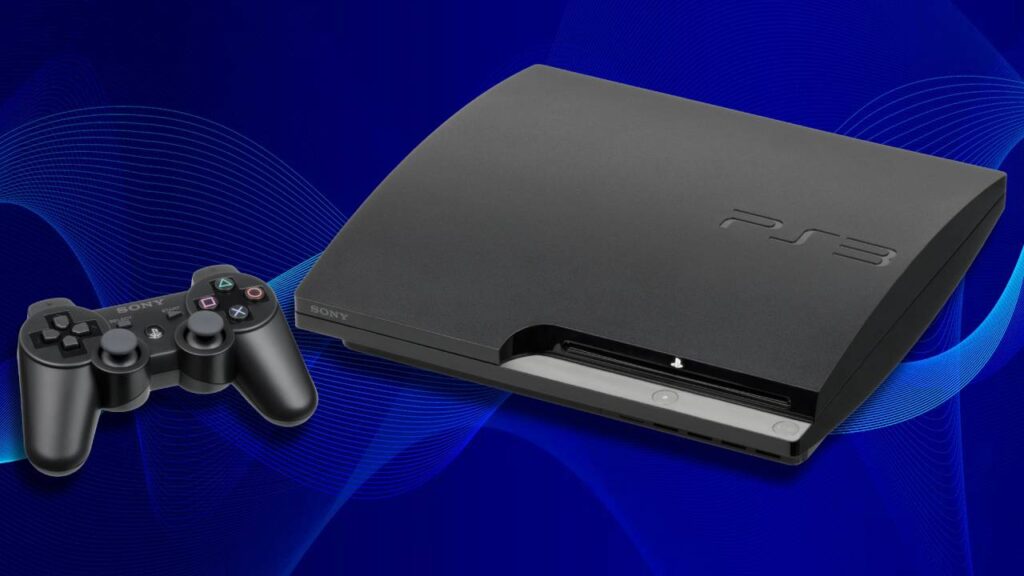
Some consoles never really die. The PlayStation 3 is one of them. People still play it. People still fix it. And when something goes wrong with the system software, the first thing anyone searches for is a ps3updat.pup download. If you are in that situation right now, you are in the right place.
This article explains everything simply and clearly. No confusing technical language. Just what you actually need to know.
What Is This File Anyway?
Let us start from the beginning. ps3updat.pup is the official PlayStation 3 system software file. PUP simply means PlayStation Update Package. This one file carries everything your PS3 needs to update or completely reinstall its operating system.
Every time Sony put out a new firmware version for the PS3, it came packaged as a ps3updat.pup file. You download it, put it on a USB drive, and your console does the rest.
It sounds simple because it is. Once you understand what ps3updat.pup download actually means, the whole process becomes much less scary.
When Would You Actually Need This?
Good question. Not everyone needs a ps3updat.pup download every day. But there are specific situations where it becomes necessary.
The most common one is a corrupted system. Your PS3 gets stuck on the startup screen. It loops over and over and never fully boots. This usually means the system software is damaged. A fresh ps3updat.pup download and reinstall fixes this almost every time.
Another situation is buying an old second-hand PS3. These consoles sometimes come with outdated firmware. Newer games and online features need updated software to run properly. A ps3updat.pup download brings everything up to date in one go.
Sometimes automatic updates fail halfway through. The file gets corrupted mid-download. Your PS3 gets confused and cannot complete the process. Doing a manual ps3updat.pup download from your computer bypasses this problem entirely.
And sometimes people accidentally mess with files they should not have touched. If that happens, a ps3updat.pup download lets you wipe everything clean and start over fresh.
Only Download From One Place
This is the most important thing in this entire article. Please read it carefully.
There is only one safe place to get your ps3updat.pup download. That is the official PlayStation website from Sony. Go to the PlayStation support section, search for PS3 firmware update, and download it directly from there.
That is it. That is the only source you should ever use.
The internet is full of websites offering ps3updat.pup download links. Most of them are not trustworthy. Some bundle malware into the file. Others give you modified firmware that can seriously damage your console. From the outside, these files look identical to the real thing. The only way to be sure is to get your ps3updat.pup download from Sony directly.
One more thing. The official ps3updat.pup download is completely free. Sony has never charged for firmware updates. If any website asks you to pay, sign up, or enter card details to download this file, close the tab immediately and walk away.
Which Version Should You Download?
The latest official PS3 firmware version is 4.91. This is the one you want for your ps3updat.pup download. It is the most stable version Sony has released and it includes important security and system improvements.
Even if your PS3 seems to be running fine, upgrading to 4.91 through a fresh ps3updat.pup download is still a good idea. It keeps everything stable and secure.
Always check the official Sony page before you do your ps3updat.pup download just to confirm you are grabbing the latest version. Sony occasionally releases minor updates and you want to make sure you have the newest one.
How to Install It — Step by Step
Once your ps3updat.pup download is complete, installation is actually quite straightforward. Here is what to do.
Grab a USB flash drive. Before anything else, format it as FAT32. This step matters because the PS3 cannot read drives formatted any other way. Most Windows computers can do this through right-clicking the drive and selecting Format.
On the USB drive, create a folder called PS3. Open that folder and create another folder inside it called UPDATE. Both folder names must be in capital letters exactly as you see them written here. Lowercase will not work.
Take your ps3updat.pup download file and place it inside the UPDATE folder. The file itself also needs to be in capital letters — PS3UPDAT.PUP. Some computers change the filename during download so double check this before moving on.
Plug the USB into your PS3. Head to Settings, then System Update, then Update via Storage Media. Your console will detect the file and guide you through the rest automatically.
If your PS3 will not boot at all, you need Safe Mode. Hold the power button down until you hear two beeps. Connect your controller using a USB cable. Choose option 6 which says System Update. Your ps3updat.pup download file on the USB drive will restore the system from there.
Problems You Might Run Into
A few things can go wrong. Here is how to deal with the most common ones.
Your PS3 says it cannot find an update file. Almost always this is a folder naming issue. Go back to your USB drive and check that the folders say PS3 and UPDATE in capitals and that the file says PS3UPDAT.PUP in capitals. One small mistake here will cause this error.
The update starts but fails in the middle. This usually means either the USB drive itself has a problem or your ps3updat.pup download was not complete. Try downloading the file again and use a different USB drive if you have one.
The file size looks wrong. The official ps3updat.pup file has a specific size for each firmware version. If your downloaded file is noticeably smaller or larger than what Sony lists on their support page, the ps3updat.pup download was corrupted. Delete it and start again from the official source.
Error codes appearing on screen. Write down whatever code appears and look it up on the PlayStation support website. Sony has documented solutions for almost every error code that can appear during a ps3updat.pup installation.
Tips That Make Everything Easier
A few small things can make the whole process go much more smoothly.
Use a USB drive that is at least 2GB in size. Very small drives sometimes cause read errors with the PS3. Larger ones work reliably.
Keep your PS3 plugged into power throughout the entire installation. Do not let it go to standby. A power cut during a firmware install can leave your console in a very bad state. This is one of those situations where patience really matters.
Plug the USB drive directly into one of the PS3 ports. Do not use a USB hub or extension. These can cause the console to not detect the drive properly.
After installation finishes, remove the USB drive before restarting. This avoids any confusion on the next boot.
If you are doing a full reinstall, remember that this erases everything on your console. Save your game data to PlayStation Plus cloud storage or another USB drive before you start. Do not skip this step.

Why People Still Search for ps3updat.pup Download in 2026
It might be weird that people are still searching for ps3updat.pup download 2026. The PS3 is hardly new hardware. But the console has a loyal fanbase that has never gone away.
The biggest reason is the game library. There are hundreds of titles on PS3 that have never been released to PS4 or PS5.
Classic games, Japanese RPGs, horror titles, and sports games that are simply not available anywhere else. For many players, the PS3 is the only way to experience these games.
Second-hand PS3 consoles are also cheaper than ever. New players are discovering the platform all the time. And when they pick up an old console that needs firmware work, the ps3updat.pup download is always the first step.
Sony has kept the official download available even years after the console stopped being their main product. That tells you something about how many people are still actively using these machines.
Final Thoughts
The ps3updat.pup download process is not complicated once you know what you are doing. Get the file from the official Sony PlayStation website. Format your USB drive correctly. Name your folders properly. Follow the steps in order. Your PS3 will be back up and running before you know it.
The PS3 is a console worth keeping alive. With the right ps3updat.pup download and a little patience, yours can keep going for many more years.
More Information Visit To : Techwirelab.com