Let me be straight with you. I have tested a lot of monitors over the years, and most of them promise the world but end up being pretty average. The m32up is different. Not perfect — nothing ever is — but different in a way that actually matters to the people buying it.
- First Impressions
- The Display: Where the m32up Earns Its Price
- 160Hz at 4K. Yes, Really.
- No Screen Tearing Either
- Connectivity That Covers Everything
- The KVM Feature Is Smarter Than It Sounds
- Gaming-Specific Features Worth Knowing
- Ergonomics and Eye Health
- A Few Things to Keep in Mind
- Final Thoughts
- Who Is the m32up Actually For?
So if you are considering spending your money on the m32up, here is everything you need to know before you do.
First Impressions
Out of the box, the m32up looks premium without trying too hard. No wild RGB strips running along the back, no aggressive angles that scream “gaming.” Just a clean, matte black panel sitting on a solid stand. The bezels are thin on three sides, which makes the 31.5-inch screen feel even bigger than it already is.
Setting it up is straightforward. The stand clicks into place easily, the cable management is decent, and within ten minutes you are ready to go. Nothing complicated. Nothing frustrating.
What hits you first when you power it on is the sheer size of the 4K image. 3840 x 2160 resolution on a 31.5-inch screen gives you a pixel density that makes everything feel tight and detailed. Text looks razor sharp. Game environments have depth. Photos and videos pop in a way that lower-resolution screens simply cannot match.
The Display: Where the m32up Earns Its Price
The panel inside the m32up is an IPS (In-Plane Switching) type, and this matters quite a bit. IPS panels are known for two things — accurate colors and wide viewing angles. You can sit slightly off to the side and the image stays consistent. Brightness does not drop, colors do not shift. If you have ever used a cheaper TN panel where the colors change the moment you tilt your head, you will immediately appreciate this.
Color coverage on the m32up hits 90% of the DCI-P3 color space. That is a cinema-grade color standard. Getting 90% on that scale puts the m32up well ahead of monitors that only cover sRGB. For anyone doing creative work — photo editing, video color grading, digital design — this is a genuinely useful advantage, not just a marketing claim.
Brightness is rated at 350 nits. Decent for most indoor environments. The m32up also supports HDR400, which adds some visible improvement to highlights and shadows in HDR-enabled games and videos. I will be honest though — HDR400 is the entry level of HDR. Do not expect the same dramatic effect you get from a high-end OLED display. What you get is still a noticeable improvement over standard dynamic range content, and for the price, that is fair.
160Hz at 4K. Yes, Really.
This is the part that surprises most people. The m32up runs at 160Hz. Not 60Hz. Not 120Hz. One hundred and sixty hertz. At 4K resolution.
That used to be unheard of. 4K monitors were always the slow ones — great detail, terrible refresh rates. The m32up changed that equation. At 160Hz, the motion is incredibly smooth. Games that demand fast reactions — shooters, racing titles, fighting games — feel genuinely different at this refresh rate compared to a standard 60Hz screen.
Paired with that is a 1ms MPRT response time. MPRT stands for Moving Picture Response Time, and 1ms means moving objects stay sharp rather than blurring as they cross the screen. Fast action looks clean. Crosshairs track accurately. There is no smeary trail following quick movements.
For competitive gamers who thought 4K was off limits because of the performance hit, the m32up is a real answer to that problem.
No Screen Tearing Either
The m32up supports AMD FreeSync Premium Pro. This is Adaptive Sync technology, which means the monitor adjusts its refresh rate to match exactly what your GPU is outputting at any given moment. The result is a tear-free image even when your frame rate is fluctuating.
Old-school V-Sync used to fix tearing but added input lag as a side effect. FreeSync does it without that penalty. Your mouse clicks and keyboard inputs still register at full speed. The m32up is also G-Sync Compatible, so NVIDIA GPU users are covered as well.
Connectivity That Covers Everything
Here is something the m32up gets quietly right — the ports. A lot of monitors in this segment cut corners here. The m32up does not.
You get DisplayPort 1.4, which supports the full 4K 160Hz signal without compression. There are two HDMI 2.1 ports, making this a great choice for console gamers who want to connect a PS5 or Xbox Series X alongside a PC. The USB-C port carries video, data, and up to 18W of power delivery — so you can connect a modern laptop with a single cable and charge it at the same time.
There is also a USB 3.0 hub built in, which lets you plug in keyboards, mice, drives, and other peripherals directly through the monitor. It keeps your desk tidier than having everything running directly to your PC.
The KVM Feature Is Smarter Than It Sounds
KVM stands for Keyboard, Video, Mouse. The m32up has a built-in KVM switch, and once you understand what it does, it is hard to go back to a setup without it.
Essentially, you can connect two computers to the m32up — a gaming desktop and a work laptop, for example — and switch between controlling them with a single button press. One keyboard. One mouse. Two machines. One monitor.
If you work from home or have a dual-machine setup, this alone saves a meaningful amount of desk space and daily friction. It works through the Type-C connection and integrates cleanly with the rest of the m32up’s input switching.
Gaming-Specific Features Worth Knowing
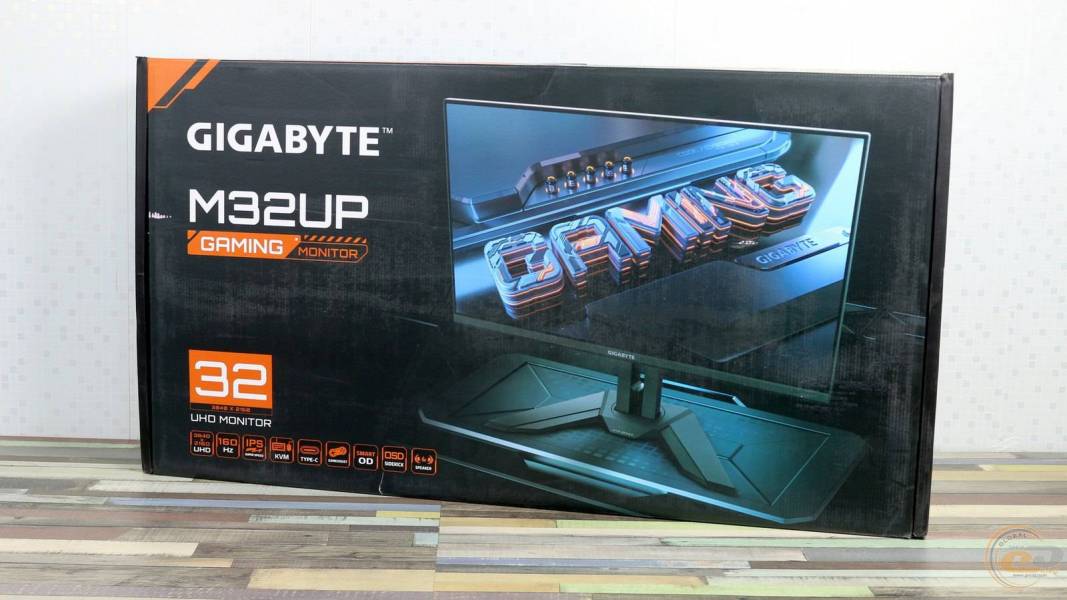
GIGABYTE has loaded the m32up with a handful of gaming tools beyond the hardware specs.
Black Equalizer is one I actually use. It lifts the brightness in dark areas of the screen without blowing out the rest of the image. In games with dark interiors or shadowy environments, enemies that were basically invisible on a standard monitor become visible. It sounds minor. It is not.
Aim Stabilizer Sync reduces ghosting around fast-moving objects specifically, which is useful in first-person shooters where crosshair accuracy matters at high speeds.
GameAssist puts an on-screen crosshair, a timer, and a frame counter directly on the display. Useful in competitive settings. Can be turned off when you do not need it.
OSD Sidekick is a PC software tool that lets you adjust all monitor settings through your computer instead of the physical buttons. Sounds like a small convenience. In practice, it removes a genuine annoyance.
6-Axis Color Control is there for people who want precise manual color tuning. Content creators especially will appreciate having that level of control built in at this price point.
Ergonomics and Eye Health
The m32up stand handles height adjustment, tilt, and swivel. You can raise it, lower it, tilt it forward or back, and rotate it left and right. Finding a comfortable position is easy, and once you have it dialed in, it holds firm.
The monitor carries Low Blue Light and Flicker-Free certifications. Long gaming sessions or extended work days are easier on the eyes with these features active. Whether you notice the difference in the short term or feel it after years of use, reducing unnecessary eye strain is worth having.
There are also built-in stereo speakers. They are not audiophile quality — they are monitor speakers — but they get the job done if you do not have external audio set up yet.
A Few Things to Keep in Mind
The m32up is not cheap. It sits in a price bracket where you are making a considered purchase, not an impulse buy. That said, considering what you are getting — 4K, 160Hz, IPS, FreeSync Premium Pro, USB-C, KVM — the value is genuinely strong compared to competitors asking similar or higher prices for less capable specs.
Also worth noting: to actually run games at 4K 160Hz, you need a powerful GPU. The m32up will faithfully display whatever your machine can output, but pushing those top numbers in demanding titles requires real hardware behind it.
Final Thoughts
The m32up is the kind of monitor that makes you wonder why you waited. It handles gaming with the kind of speed and smoothness that used to require compromising on resolution. It handles creative and professional work with the color accuracy that used to require spending far more money. And it does both without making you feel like you settled.
If you are building a setup that needs to serve more than one purpose — gaming, working, creating — the m32up is one of the most sensible choices on the market right now. It is the monitor that finally lets you have 4K detail and high refresh rate speed at the same time, without apology.
The m32up earns a strong recommendation. Full stop.
Who Is the m32up Actually For?
This is worth spelling out clearly because the m32up is not a one-trick pony built for a single type of user.
Gamers get the 160Hz refresh rate, 1ms MPRT, FreeSync Premium Pro, Black Equalizer, and Aim Stabilizer Sync. Everything you need for fast, competitive, visually immersive gaming is present and working well.
Content creators get 4K resolution, 90% DCI-P3 coverage, IPS accuracy, and 6-Axis Color Control. If you edit photos or cut video for a living — or even just as a serious hobby — the m32up gives you a canvas that reflects your work accurately.
Work-from-home professionals get the USB-C single-cable connection, the KVM switch for dual-machine setups, the USB hub, and a large 31.5-inch workspace that makes managing multiple windows significantly more comfortable than on a smaller screen.
Console gamers get two HDMI 2.1 ports — meaning a PS5 and an Xbox Series X can both be connected simultaneously, with full support for 4K output from both.
Very few monitors serve all four of these groups well at once. The m32up manages it. That is what makes it stand out in a market crowded with monitors that do one thing well and compromise on everything else.