
AI video tools are moving fast. Like, really fast.
- 1. What the Infinitalk API Actually Does
- 2. The Three Modes You Can Use
- 3. The Quality Is Genuinely Impressive — With One Caveat
- 4. How the Infinitalk API Is Actually Integrated
- 5. What It Costs — And Where the Pricing Gets Complicated
- 6. Real Use Cases Where the Infinitalk API Shines
- 7. Limitations Worth Knowing Before You Commit
- Is the Infinitalk API Worth Using?
A year ago, making a realistic talking avatar from a still image felt like something out of a sci-fi demo. Now you can do it with a few lines of code and an API call. The Infinitalk API is one of the tools sitting right at the center of that shift — and if you’re a developer, content creator, or someone building anything with AI video, you’ve probably come across it.
But is it actually good? Is it worth integrating? What are the real limitations? Let me walk you through what I’ve found.
1. What the Infinitalk API Actually Does
Let’s start simple.
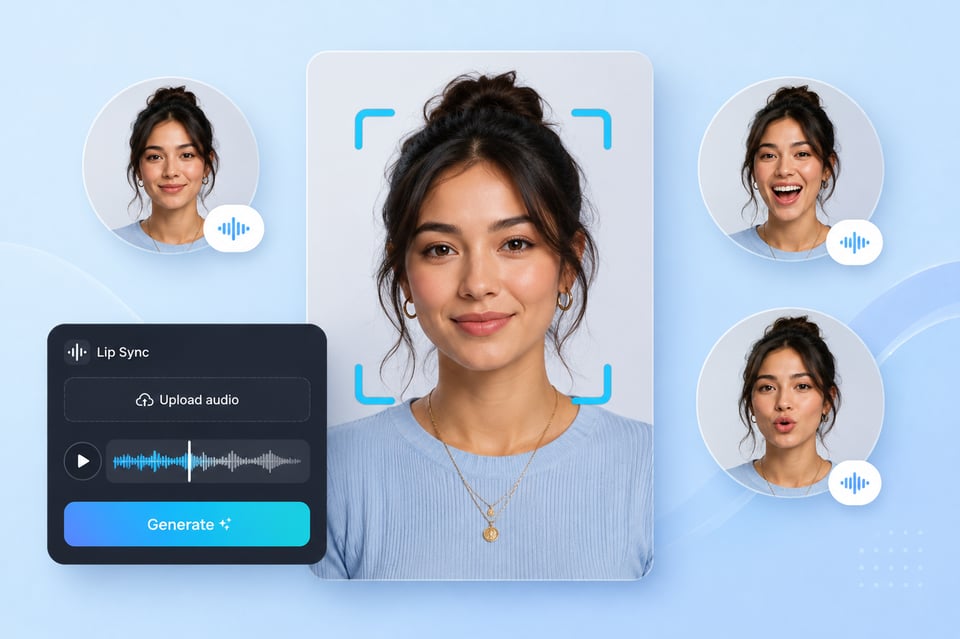
The Infinitalk API takes two inputs — an image and an audio file — and outputs a video where the person in the image is lip-syncing to that audio with realistic facial expressions. You feed it a static photo and a voice recording. It hands you back a talking video.
That’s the core of it. But the Infinitalk API goes further than what most similar tools offer. The key differentiator is something called sparse-frame video dubbing. Without getting too technical — most talking avatar tools have a hard time generating videos longer than about 15 seconds before the output starts looking unnatural or unstable. The Infinitalk API doesn’t have that ceiling. It’s built to handle long-form content without the avatar degrading mid-video.
For someone building a short social media clip, that might not matter much. For someone building an AI educator, a virtual customer service agent, or a long-form explainer video pipeline — it’s a big deal.
The Infinitalk API is available through fal.ai, which is the main platform where developers access it, and also through Eachlabs, which offers it as part of a broader model marketplace.
2. The Three Modes You Can Use
This is something a lot of people don’t realize when they first look at the Infinitalk API — there isn’t just one version. There are three distinct modes depending on what you’re starting with.
Image to Video — This is the classic mode. You provide a static image and an audio file, and the Infinitalk API generates a video where the person in the image speaks the audio with synced lip movements and natural expressions. This is what most people use it for.
Video to Video — Instead of starting with a static image, you provide an existing video. The Infinitalk API then replaces the original audio with new audio and re-syncs the facial movements accordingly. Useful for dubbing existing footage or changing what a character says without reshooting.
Text to Video — The most streamlined version. You provide an image and type your text directly. The Infinitalk API handles the text-to-speech conversion internally and produces the final talking video. No need to generate audio separately — it’s all in one step.
Each mode uses the same underlying lip-sync technology. Which one makes sense for you depends entirely on your workflow.
3. The Quality Is Genuinely Impressive — With One Caveat
I want to be straight with you here because this matters.
The Infinitalk API produces high-quality output. The lip-sync accuracy is tight. The facial expressions look natural rather than robotic. The head movements have a believable quality that a lot of older avatar tools completely miss. For a lot of use cases, the output is good enough that viewers won’t immediately clock it as AI-generated.
The caveat is input quality dependency. The Infinitalk API is only as good as what you give it. A well-lit, front-facing, high-resolution image with clear facial features will produce significantly better results than a low-quality, partially obscured, or oddly angled photo. Same with the audio — clean audio with minimal background noise produces much cleaner lip-sync than a recording with echo or compression artifacts.
This isn’t unique to the Infinitalk API. It’s true of virtually every AI video tool. But it’s worth saying clearly because people sometimes try the API with poor inputs, get mediocre output, and conclude the tool doesn’t work. The tool works. The inputs matter.
4. How the Infinitalk API Is Actually Integrated
If you’re a developer looking at this from a technical standpoint, here’s how the integration works in practice.
The Infinitalk API runs through fal.ai’s infrastructure. Authentication is handled via an API key — you set your FAL_KEY as an environment variable, or configure it manually if you’re in a restricted environment.
The basic call is straightforward. You submit a request with an image_url, an audio_url, and a prompt that describes the scene or character context. The Infinitalk API processes the request asynchronously — you submit it to a queue, then poll for the status, and retrieve the result when it’s ready.
Here’s about what the structure looks like:
const result = await falsubscribe(“fal-ai/infinitalk”, { input: { image_url: “your-image-url-here”, audio_url: “your-audio-url-here”, prompt: “A woman explaining a product in a professional setting.”
}
});
The output is an MP4 video file URL that you can download or pass directly into the next step of your pipeline. The whole thing is clean and well-documented, which makes integration faster than it might look from the outside.
fal.ai also has SDK support for JavaScript and Python, so you don’t need to write raw HTTP requests if you prefer working with a client library.
5. What It Costs — And Where the Pricing Gets Complicated
Pricing is where things get a little more nuanced with the Infinitalk API.
On fal.ai, the Infinitalk API is priced per second of output video. For 480p resolution, the rate is approximately $0.20 to $0.30 per second. For 720p, you’re looking at roughly double that — around $0.60 per second. fal.ai operates on a pay-per-use model with free credits available when you start out, so you can test the Infinitalk API without spending money upfront.
Those numbers add up faster than they sound. A 60-second video at 480p runs you somewhere between $12 and $18. Scale that to hundreds of videos in a production pipeline and you’re looking at a meaningful cost.
This is why some developers have started routing Infinitalk API calls through alternative platforms like Kie.ai, which reportedly offers significantly lower per-second rates for the same underlying model — around $0.015 per second for 480p. Whether that makes sense for your use case depends on volume.
For hobby projects or low-volume testing, fal.ai’s direct pricing is perfectly reasonable. For high-volume production use, it’s worth comparing options.
6. Real Use Cases Where the Infinitalk API Shines
Let’s talk about where this actually gets useful in the real world.
Content creation at scale — If you produce a lot of video content and want to create avatar-narrated versions without filming yourself every time, the Infinitalk API fits naturally into that workflow. Create a base image of your avatar, feed in audio scripts, generate videos programmatically. People are doing this for TikTok, YouTube, and educational platforms right now.
Automated video pipelines — The Infinitalk API integrates cleanly with automation tools like n8n. There are published workflow templates that use it to take a prompt, generate audio with ElevenLabs, pass that audio to the Infinitalk API, generate a talking video, and then auto-post to TikTok or YouTube — all without manual steps. That kind of end-to-end automation is where the API really earns its place.
Dubbing and localization — The video-to-video mode makes it possible to take existing content and re-dub it in a different language while keeping the original visual style. The speaker’s lips resync to the new audio track. For companies producing content in multiple languages, this has obvious appeal.
Virtual presenters and customer service — Companies building AI-powered front-facing tools are using the Infinitalk API to create virtual agents that speak naturally rather than using robotic text-to-speech voices with a static image sitting next to them.
7. Limitations Worth Knowing Before You Commit
No honest review skips this part.
Processing time — The Infinitalk API is asynchronous for a reason. It’s not instant. For short videos you might wait 30 to 90 seconds. For longer videos, the wait increases. If you need real-time or near-real-time output, this isn’t the right tool for that use case.
Multi-person support is limited — The standard Infinitalk API modes work best with single-speaker scenarios. Multi-person lip-sync exists through a separate MultiTalk model, but it’s more complex to set up and not as mature as the single-speaker version.
Output quality varies with content type — The Infinitalk API handles front-facing talking heads very well. It’s less reliable with extreme head angles, rapid movement, or images where the face is partially obscured. Know your input constraints before building a production pipeline around it.
No built-in voice generation in image mode — The image-to-video mode requires you to supply your own audio. If you want a complete text-to-video solution in one step, you either need to use the text-to-video mode or chain it with a separate text-to-speech service like ElevenLabs first.
Cost at scale — Already mentioned, but worth repeating. The per-second pricing is fine for testing. At production volume, run the numbers before you commit.
Is the Infinitalk API Worth Using?
For most developers and creators exploring AI video generation right now — yes.
The Infinitalk API does what it says. The lip-sync quality is among the better options currently available. The long-form video support is genuinely useful and not something every competitor offers. The integration through fal.ai is well-documented and developer-friendly. The multiple modes give you flexibility depending on your starting point.
The pricing requires attention if you’re thinking at scale, and the asynchronous nature means it’s not suited for real-time applications. But for content pipelines, automation workflows, and AI video production — the Infinitalk API is a solid choice that’s earned its growing reputation.
If you haven’t tried it yet, fal.ai’s free credits mean you can test it with zero commitment. That’s usually the best way to form your own opinion.